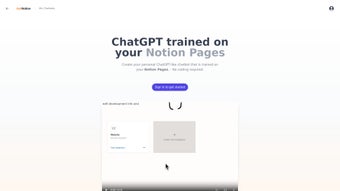

Download AskNotion – AI‑Powered Chatbot Builder for Notion, Free Trial, Secure & Easy
Introduction
In today’s knowledge‑driven workplaces, the ability to retrieve information quickly can mean the difference between a smooth workflow and a frustrating bottleneck. Notion has become a favorite hub for notes, project plans, SOPs, and databases, but most teams still rely on manual searches or endless scrolling to locate the right page. AskNotion bridges that gap by turning every piece of content inside a Notion workspace into a conversational AI assistant that can answer questions, fetch data, and even trigger simple automations—all without writing a single line of code.
Launched as a cloud‑native SaaS platform, AskNotion offers a 5‑day free trial that unlocks the full feature set, after which the starter plan is priced at a modest $9.99 per month per user. The service is built on the ChatBotKit framework, which supplies a modern, responsive chat window that can be embedded on websites, shared via a link, or accessed directly from the dashboard. Security is baked in: all traffic is encrypted with TLS, data at rest uses AES‑256 encryption, and the platform complies with GDPR and other major privacy regulations.
Whether you’re a solo entrepreneur who wants an instant FAQ bot for your product documentation, a support team looking to reduce repetitive ticket handling, or a knowledge‑manager aiming to make internal policies searchable by voice, AskNotion provides a low‑cost, low‑maintenance solution that lives entirely inside the Notion ecosystem. The only notable limitation is that the chatbot currently reads exclusively from Notion pages, so organizations that need multi‑source integration will have to look elsewhere or build custom connectors. Nonetheless, for the rapidly expanding community of Notion power users, AskNotion delivers a practical, secure, and affordable way to make static content talk back, dramatically improving productivity and user satisfaction.
Key Features that Differentiate AskNotion
- Unlimited Notion Page Syncing – Every page, database, and block in your workspace is indexed automatically, ensuring the chatbot always reflects the most recent information.
- 5‑Day Free Trial & Transparent Pricing – Experience the full platform without a credit card; the paid tier remains a flat $9.99 / month per user with no hidden fees.
- Generous Token Allocation – Up to 300,000 tokens per month enable thousands of detailed queries without hitting usage caps.
- High Concurrency Support – The system can handle up to 1,000 simultaneous chat sessions, making it suitable for both small teams and larger support desks.
- No‑Code Bot Builder – Drag‑and‑drop widgets, pre‑made templates, and tone selectors let non‑technical users launch a functional chatbot in minutes.
- Responsive ChatBotKit UI – A clean, mobile‑friendly interface that can be embedded on any website, shared via a short link, or accessed directly from the dashboard.
- Secure Cloud Hosting – TLS encryption in transit, AES‑256 at rest, GDPR compliance, and granular Notion permission handling keep your data safe.
- Workflow Automation Triggers – Use natural‑language commands to create new Notion entries, update existing records, or fetch data without leaving the chat.
Together, these capabilities make AskNotion feel both powerful and approachable. Unlimited syncing eliminates the risk of stale knowledge, while the token pool is generous enough to support complex, multi‑turn conversations without frequent upgrades. The high concurrency ceiling ensures that the bot can serve internal employees, external customers, or a mix of both without performance degradation. Because the UI is built on ChatBotKit, users enjoy a modern experience that adapts gracefully to desktops, tablets, and smartphones. For teams already entrenched in Notion, the value proposition is crystal clear: a single, low‑cost subscription unlocks an AI assistant that can answer any documented question—be it a product specification, HR policy, or project timeline—directly from the source, reducing search time and repetitive manual effort.
Installation, Usage Instructions & Compatibility
Step‑by‑Step Setup
- Create Your Account & Claim the Trial – Visit the AskNotion homepage, sign up with an email address, and verify your account via the confirmation link.
- Connect to Notion – In the dashboard, click “Add Integration,” log into Notion, and grant read‑only access to the pages you wish the bot to learn from. Permissions can be scoped to specific spaces for added security.
- Select Sync Targets – Use the intuitive page selector to choose top‑level pages, databases, or entire workspaces. You can start small and expand the scope as you become comfortable.
- Configure Bot Personality – Pick a tone (professional, friendly, concise) and define fallback responses. Sample prompts are provided to help you shape the AI’s voice.
- Deploy the Chat Interface – Copy the embed snippet for website integration, or share the unique chat link with teammates via Slack, Teams, or email. The interface works on any modern browser.
- Monitor Tokens & Sessions – The dashboard displays real‑time token consumption, active sessions, and recent queries. If you approach the 300k token limit, you can upgrade or adjust usage patterns.
Operating System Compatibility
AskNotion is a cloud‑based SaaS product, which means it runs on any device with a contemporary web browser. Whether you’re on Windows 10/11, macOS Monterey or later, a Linux distro, Android 9+, or iOS 13+, you can access the dashboard and chat interface without installing additional software. The responsive design guarantees an optimal experience on desktop monitors, tablets, and smartphones alike.
Best Practices for Ongoing Success
To keep AI responses accurate, regularly audit the Notion pages you’ve synced—remove obsolete content, add fresh FAQs, and leverage Notion’s version history for traceability. AskNotion automatically re‑indexes pages every 24 hours, but a manual “Sync Now” button is available for urgent updates. For teams handling confidential data, enable Notion’s page‑level permissions before linking; the bot respects these settings and will only answer queries for content it is allowed to read. Additionally, experiment with the “conversation memory” toggle to decide whether the bot should retain context across multiple user messages, which can be invaluable for troubleshooting workflows that span several steps.
Pros, Cons, Frequently Asked Questions & Final Thoughts
Pros
- Zero‑code setup makes AI chatbots accessible to anyone, regardless of technical background.
- Unlimited Notion syncing guarantees that the bot always reflects the latest knowledge base.
- Generous token allowance (300 k) and high concurrency (1 000 sessions) suit both individual users and growing teams.
- Transparent, low‑cost pricing at $9.99 / month per user after a free trial.
- Secure cloud hosting with TLS, AES‑256 encryption, and GDPR compliance.
- Fully responsive UI works across Windows, macOS, Linux, Android, and iOS.
Cons
- Limited to Notion data; cannot pull from external databases, CRMs, or APIs without custom development.
- Bot personality customization is confined to preset tones and simple fallback messages.
- Advanced model fine‑tuning or custom LLM training is not offered.
- Token usage can spike with verbose queries, requiring careful monitoring.
- Analytics and reporting features are basic, which may leave power users wanting more insights.
Overall Rating: 4 out of 5 stars
Frequently Asked Questions
Can I use AskNotion on a mobile device?
Yes. The dashboard and chat window are fully responsive, allowing you to manage the bot and interact with it from any Android or iOS smartphone or tablet.
What happens after the 5‑day free trial ends?
If you do not upgrade, your account switches to a read‑only mode where you can still view synced pages but cannot start new chat sessions. Upgrading to the starter plan restores full functionality for $9.99 per month per user.
Is my Notion data safe with AskNotion?
AskNotion uses TLS encryption for data in transit and AES‑256 encryption at rest. The service adheres to GDPR standards, and you retain full control over which pages are shared via the integration permissions.
Can I limit the chatbot to answer only specific pages?
Absolutely. During the sync setup you select which top‑level pages or databases to include. The bot will only draw knowledge from those designated sources.
Do I need a credit card to start the free trial?
No. AskNotion allows you to begin the trial without entering payment details. A credit card is only required if you decide to continue with the paid plan after the trial period.
Conclusion – Should You Download AskNotion?
AskNotion fills a niche that many knowledge‑base tools overlook: converting a static repository of notes into an interactive AI assistant without demanding any programming expertise. For teams already living inside Notion, the combination of unlimited page syncing, generous token limits, high concurrency, and a modest $9.99 monthly price creates a compelling value proposition. The platform’s security posture, transparent pricing, and intuitive no‑code builder make it a safe and attractive choice for freelancers, small businesses, and even larger support groups that need a quick, low‑maintenance solution.
The primary drawback—its exclusive focus on Notion—means it isn’t suited for organizations that require multi‑source data aggregation or deep custom model training. If your workflow depends on pulling information from multiple SaaS tools, you may need to look at more extensible alternatives or develop custom connectors. However, for the growing community that has already adopted Notion as its central knowledge hub, AskNotion delivers a practical, secure, and cost‑effective way to make information instantly searchable through conversation.
Ready to give your Notion workspace a voice? Download AskNotion today, start the 5‑day free trial, and experience how effortless AI can become for your daily workflow.



.png)



